It researches and drafts. You send. Nothing leaves without you.
A self-hosted outreach agent for Reddit, Hacker News, Mastodon and LinkedIn.
The checks behind every draft
- It reads what you've already written before it claims to know your voice. Under three pieces of writing, it says so and stops there, rather than inventing a style.
- A checker in the code strips tells like the em dash before a draft reaches you. No model is asked nicely to skip them - the code just does it.
- If a tell survives that pass anyway, the draft still shows it to you instead of hiding it.
- Nothing sends on its own. The worst a rough draft can do is sit in your inbox until you delete it.
How it works
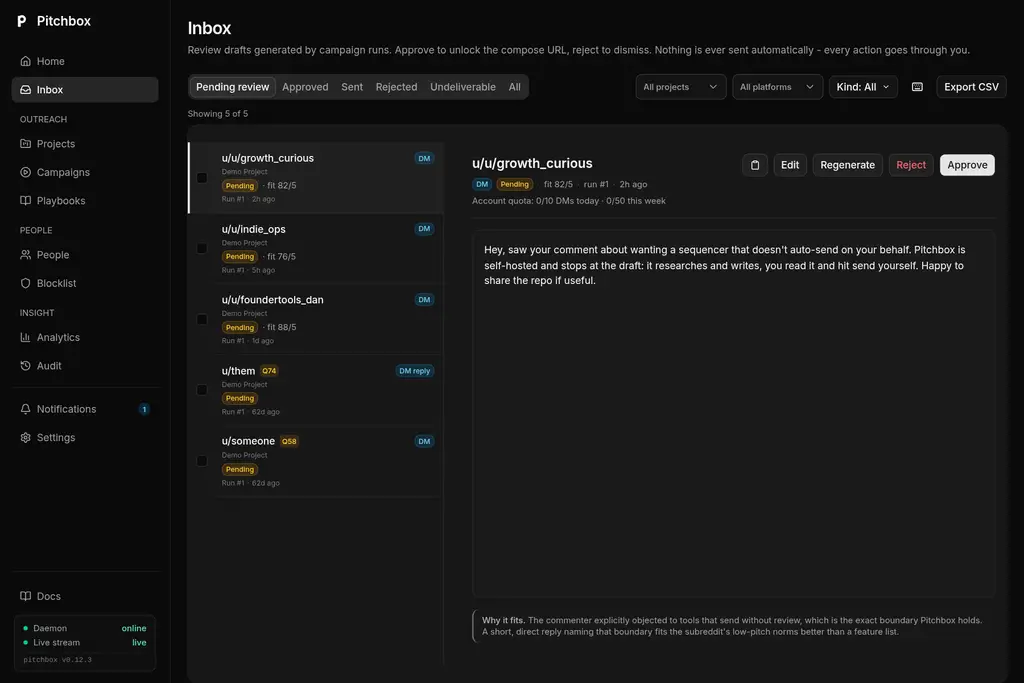
- 1 It researches the thread and drafts a reply in your voice.
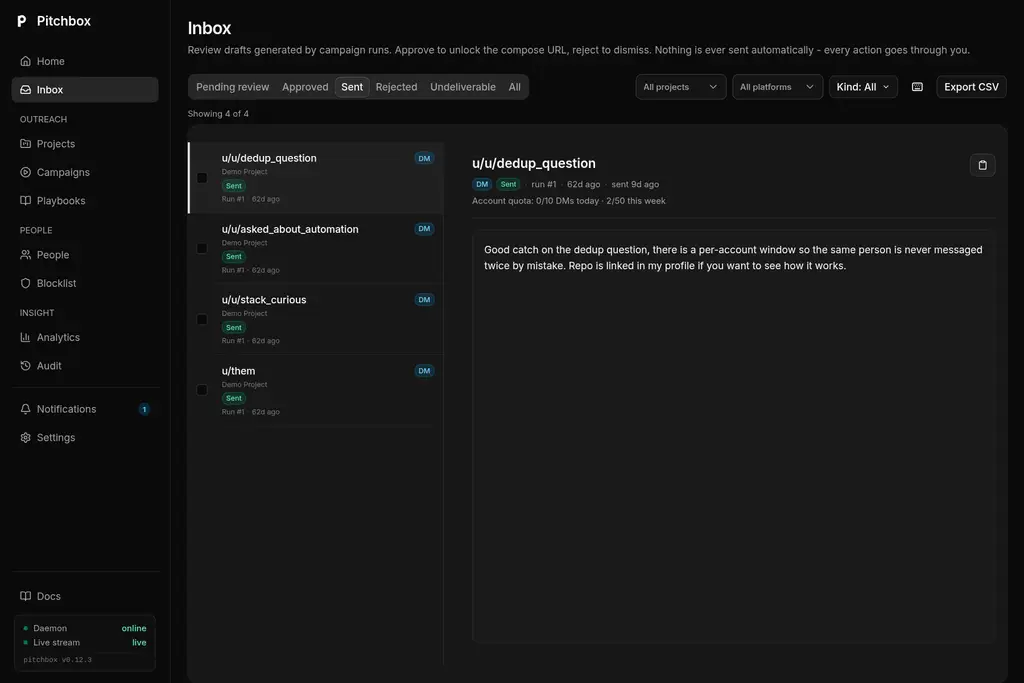
- 2 You read it in the Inbox and approve, edit or reject it.
- 3 You send it yourself, and Pitchbox records that you did.
The in-page companion
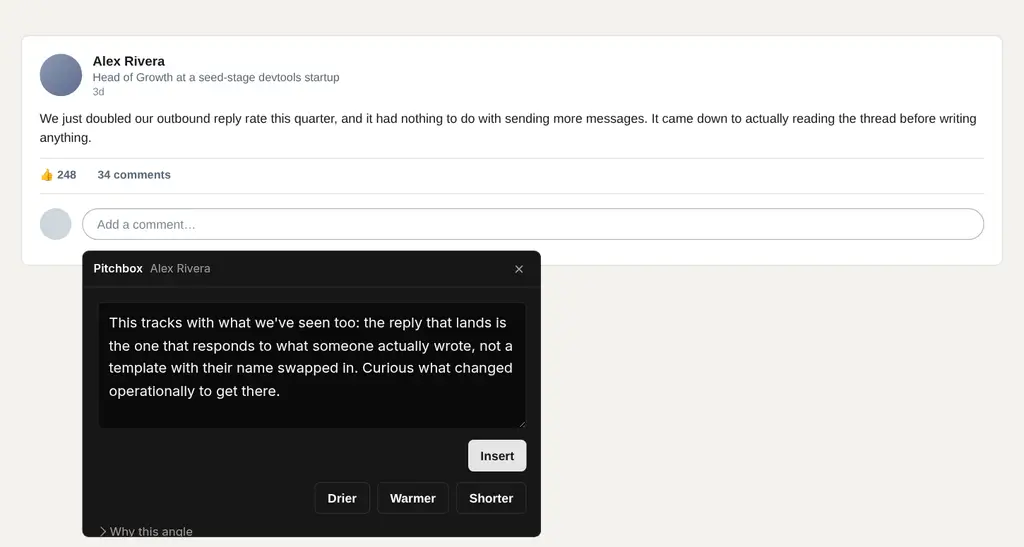
A Chrome extension reads the LinkedIn post you already have open and drafts a comment in the same panel style as the Inbox.
It reads the page you opened. It never clicks anything. You press LinkedIn's own button.
What it will not do
- It never sends a message. Every draft waits in your inbox until you approve it.
- It never crawls LinkedIn. The in-page companion reads the post you already opened, nothing else.
- It respects a blocklist and a dedup window, so the same person is never contacted twice by mistake.
- It shows you the cost of every run before you approve what it drafted.
Two ways to run it
Self-host it
Run it on your own infrastructure, under the AGPL license, with your own API key.
Or use the cloud edition
The models are ours and every run carries a spending cap, so there's nothing to provision.